Property Insurance
Bulk import values
Purpose Purpose
Bulk import values lets you update Insurance values for many sites at once. Use it when your values come from spreadsheets, ERP systems, brokers, local site owners, or other source systems.
Values are imported for one Insurance period at a time.
Before getting started Before getting started
Important rules:
- You can only import values for the selected Insurance period.
- You can only import to active sites that are included on the Insurance board.
- Blank cells are ignored and do not clear existing values.
- Currency values are imported in your base currency.
- BI Period is imported as a whole number, not in thousands.
- Allowed BI Period values are
6,12,18,24,36,48,60, or blank. - You need update access to Insurance values.
Download the template Download the template
Open Insurance > Values, select the correct period, then use the command palette to search for Bulk import values. Download the template from the import page.
The template includes:
- Instructions.
- A
data-to-importsheet where you enter values. - An
off-site-valuessheet where you enter values one site keeps at another site. Read Off-site values below. - A
Sitessheet with the eligible Insurance sites.
Fill out the spreadsheet Fill out the spreadsheet
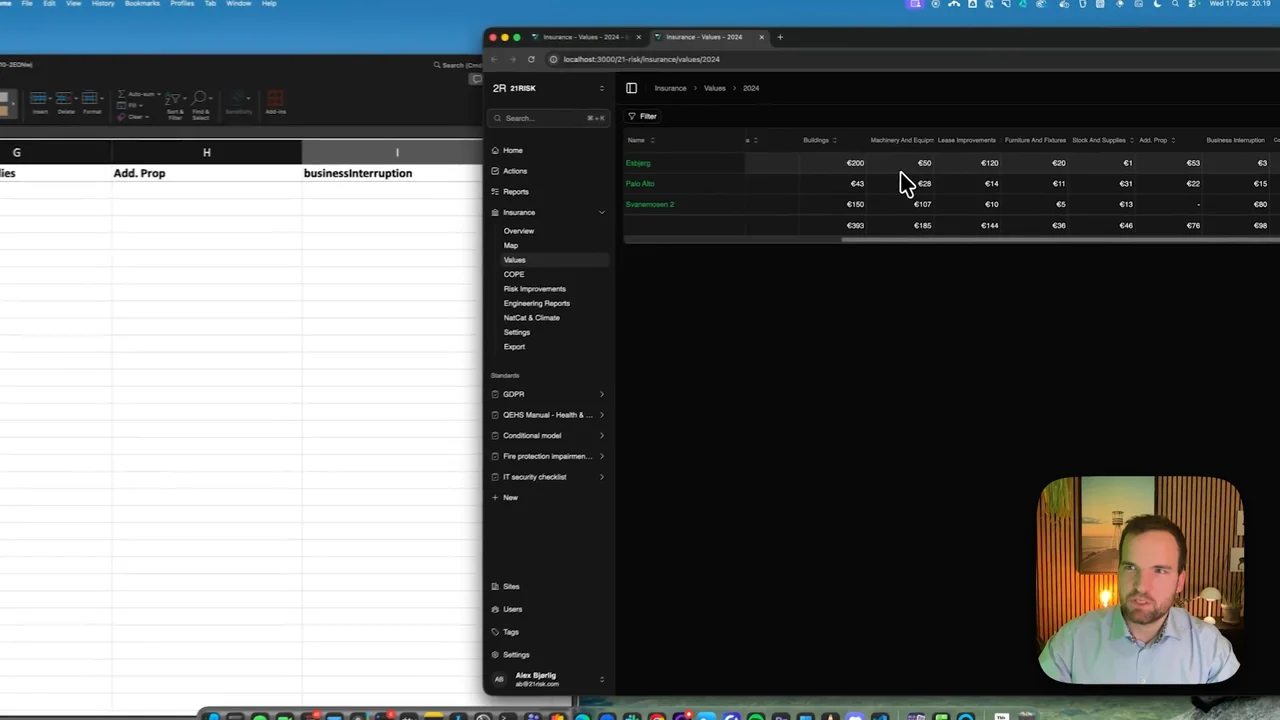
Keep the column headers unchanged. One row represents one site. The siteId column identifies the site, while value columns update the selected period.
Common columns include:
| Column | Description |
|---|---|
| siteId | The site ID to update. |
| buildings | Building values. |
| machineryAndEquipment | Machinery and equipment values. |
| leaseImprovements | Lease improvement values. |
| furnitureAndFixtures | Furniture and fixtures values. |
| stockAndSupplies | Stock and supplies values. |
| businessInterruption | Business interruption value. |
| biPeriod | Business interruption period. |
| Your own value columns | One column per value column the period uses, headed by the name the period gives it, for example Cranes. Headers match regardless of upper or lower case. |
Leave a locked column blank unless you are an insurance administrator: an import that fills one is refused, and blank cells keep the values as they are.
You do not have to use the downloaded template if your own spreadsheet has the correct column headers. If row 2 contains old descriptions or labels, enable Skip second row when uploading.
Off-site values Off-site values
The off-site-values sheet records stock and supplies, and machinery and equipment, that one site owns but keeps at another site. One row represents one owning site and one holding site, the same row as in the Off-site values table under Insurance > Analytics. Read Insured values held at another site for how off-site values count toward TIV.
| Column | Description |
|---|---|
| ownerSiteId | The site that owns the goods. You need access to it to change the row. |
| holdingSiteId | The site where the goods stand. It must be on the Insurance board, but you do not need access to it. |
| stockAndSupplies | Stock and supplies held at the holding site, in your base currency. |
| machineryAndEquipment | Machinery and equipment held at the holding site, in your base currency. |
| remove | Leave blank, or write all, stockAndSupplies or machineryAndEquipment to end that arrangement. |
Rules for the sheet:
- Blank amounts keep what is in force. Leaving a row out also keeps it: to end an arrangement, use the
removecolumn. - Each owning site and holding site can only be listed once.
- The sheet's data always starts in row 2, right under the headers. Skip second row only applies to the
data-to-importsheet. - Site names and other columns, such as a note, are ignored. Notes and attachments stay as they are and are edited on the owning site's values page.
- An amount that matches the one in force, to the cent, is not a change, and rows that change nothing are skipped. This means you can paste in the Off-site values table's export: unchanged rows keep the currency they were recorded in, including rows for owning sites you can only see from the holding site, and only the rows you change are recorded again, in your base currency.
The template's off-site-values sheet only has the column headers. To start from the arrangements in force, export the Off-site values table and copy its rows into the sheet, leaving out the export's totals row.
Either sheet can be left empty, so you can import only values, only off-site values, or both at once. Importing both at once is useful when you start recording off-site values: you can lower a warehouse's own stock in data-to-import and record what it holds for other sites in off-site-values in the same import, so the warehouse's TIV never counts the stock twice.
Upload and validate Upload and validate
Upload the spreadsheet to create a what-if analysis. The preview shows what will change before the import is applied. Off-site values have their own table, with one row per owning site and holding site that changes, marking each value as new, changed or removed.
Review the preview carefully. If something looks wrong, update the spreadsheet and upload it again.
Import Import
When the what-if analysis looks correct, click Import now. The import runs as one transaction, so it either succeeds completely or fails without partial updates. Values and off-site values are imported together.
After import, return to Insurance > Values and review the changed sites.